FloPlanner · Features
Safety stock: how reserve stock shapes every order
Safety stock is the stock you never plan to sell down to. FloPlanner calls it reserve stock and keeps it separate from lead time and the safety buffer, so every order, this one and the ones after it, is planned around it.
What reserve stock is
Reserve stock is a floor: the stock you want on hand every week, so a week that sells more than forecast doesn't leave you empty. FloPlanner measures it in weeks of forecast, each week at its own forecast, so the reserve grows ahead of a busy season and eases after it.
Three separate things
- Lead time: production plus transit. It sets when to order.
- Safety buffer: 2 weeks by default. How early an order lands before it's needed, in case it's late.
- Reserve stock: 4 weeks of forecast by default. What stays on the shelf.
Kept apart, each answers its own question, and you can change one without moving the others.
Set it once, change it where it differs
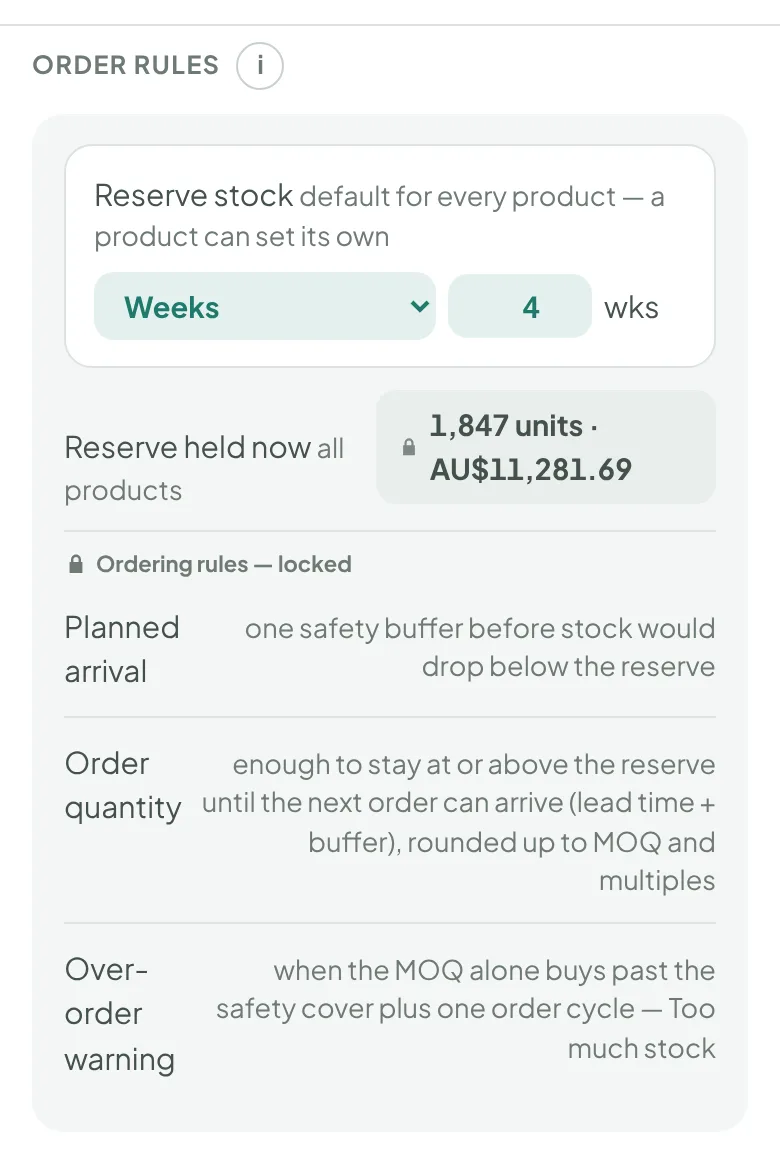
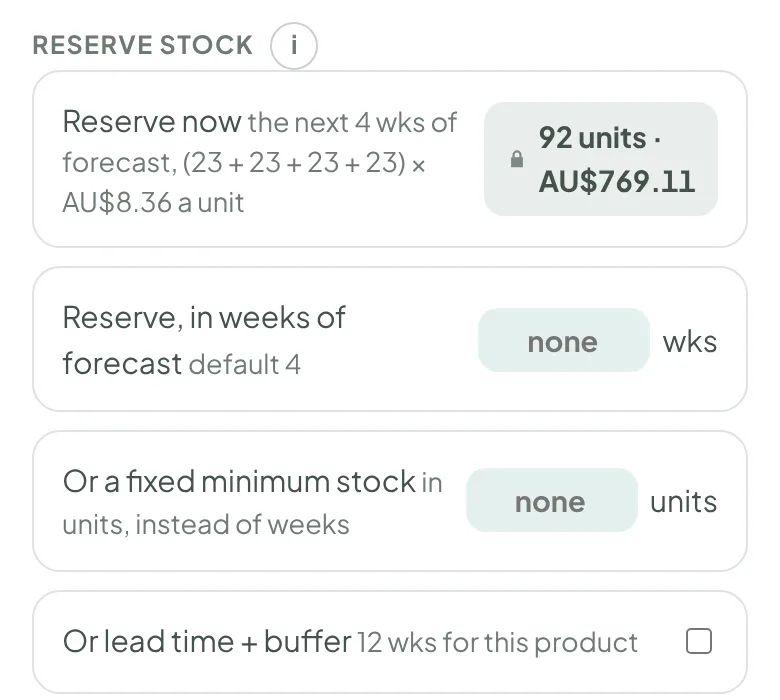
Every product starts with 4 weeks of forecast. Change it for all products in Settings › Supply planning, to any number of weeks or to each product's lead time + buffer. Change it for one product in weeks, as a fixed number of units, or as lead time + buffer.
See what it costs
Reserve stock is cash on the shelf. FloPlanner shows it for each product and for your whole range, in units and in your currency, so you can weigh the cushion against the cash it ties up.
What it means for ordering
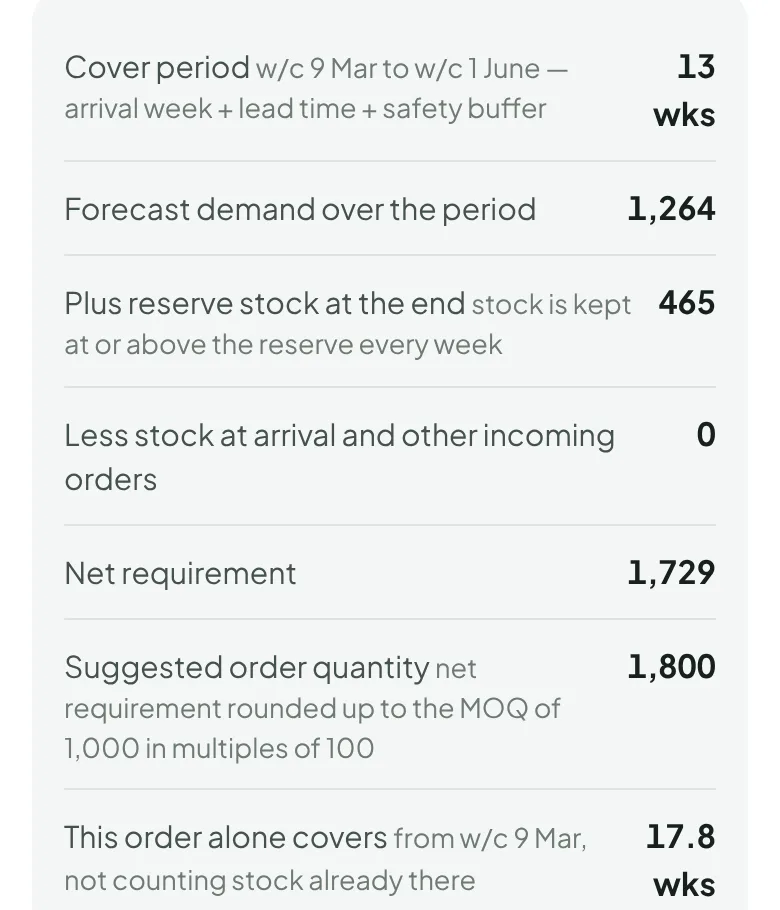
Each order is timed to land one safety buffer before stock would fall below the reserve. It's the smallest quantity, rounded up to the supplier's minimum order and multiples, that keeps stock at or above the reserve until the next order can arrive. Sales lost before an order lands are not bought back.
On the demo shop, a Linen apron order lands w/c 9 Mar and has to carry 13 weeks: the week it lands, the 10-week lead time and the 2-week buffer. The forecast over those weeks is 1,264, plus 465 of reserve still on hand at the end, less nothing already coming: 1,729. Rounded up to the minimum order of 1,000, in multiples of 100, the order is 1,800.
Not just the next order
A reorder point, the rule many stock tools work from, answers one question: is it time to order now? FloPlanner plans the orders after it too. Each order is sized to carry you to the next one. Once it's drafted, the plan counts it and works out when each product's following order falls due, from the forecast week by week, the stock you'll have, the lead time and the reserve.
On the demo shop, drafting that Linen apron order sets the next one: order by w/c 16 Mar, to land w/c 25 May, before stock reaches the reserve. Change the forecast, record a delivery or change the reserve, and the dates and quantities move with it. To plan further in one go, set a "stock covered until" date on a draft and every quantity is worked back from it.
Statuses don't size orders
Each product shows a status, from Stock out to Too much stock, telling you what needs a decision. A status never sets an order quantity: stock on hand, the forecast, the lead time and the reserve do.
See reorder planning, the weekly stock forecast and weeks of cover, explained.
FloPlanner is in early access through November and December 2026. Advanced launches in January 2027 on any phone or computer.
Request early access →